
🌐 HTML / JavaScript Integration
ACENji can be embedded directly into any custom HTML or JavaScript website — ideal for static sites, landing pages, or frameworks like React, Vue, or plain HTML.
This allows you to display your ACENji app seamlessly inside your own domain without WordPress or CMS integration.
🧩 Step 1 — Enable HTML/JS Display Mode
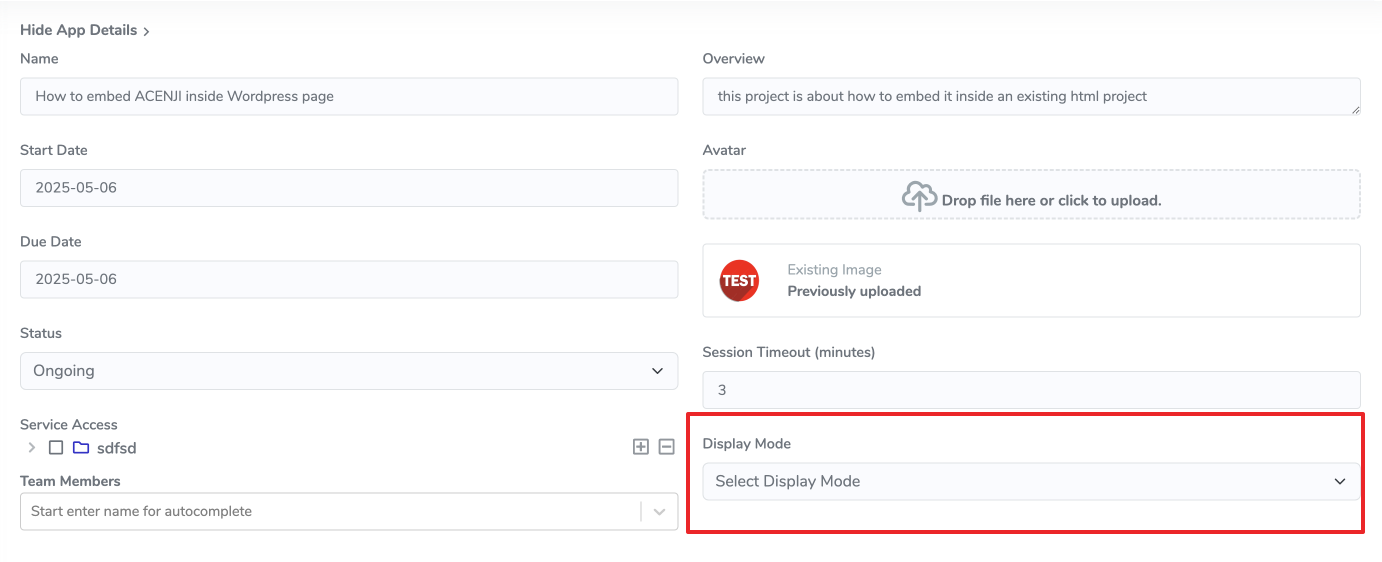
- Open your ACENji project and go to App Details.
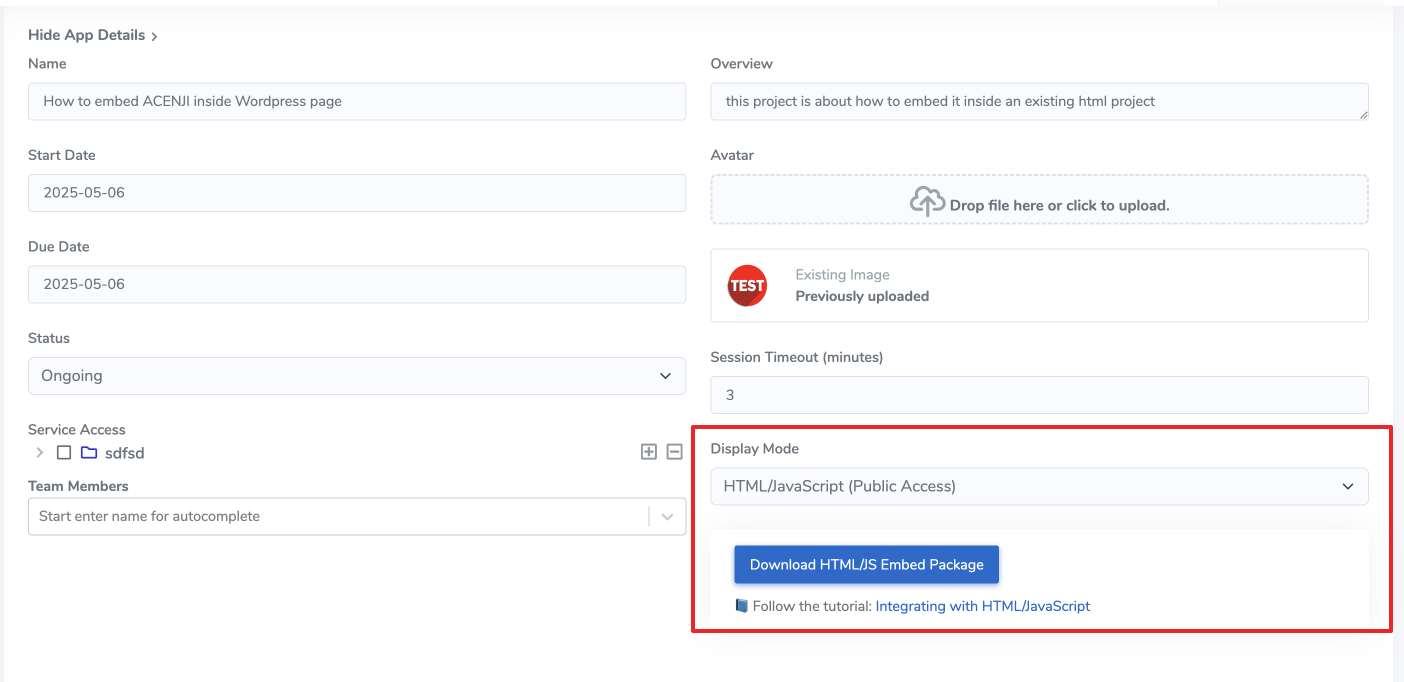
- Under Display Mode, select “HTML / JavaScript (Embed)”.
- Once selected, you’ll see:
- A Download Embed Plugin button
- Example HTML & JS snippets
- A link to this tutorial
⚙️ Step 2 — Download or Clone the Embed Plugin
Click Download Embed Plugin to get the ZIP package (e.g., acenji_html_embed.zip)
or clone the open-source repo directly:
👉 Browse the source & examples on GitHub
Inside you’ll find:
├─ public/
│ └─ index.html
├─ server.js
├─ .gitignore
├─ LICENSE
└─ README.md
---

## 🚀 Step 3 — Quick Start (Local Test)

Run the included Node server to test the plugin locally.

### 1️⃣ Install dependencies
```bash
npm install
2️⃣ Start the server
npm run startYou would see
ACENji local server running: http://localhost:3000/test/freeOpen http://localhost:3000/test/free
🧱 Step 4 — Embed in Your Own HTML Page
`<div id="acenji_root"></div>`
<link rel="stylesheet" href="https://acenji.com/build_web_app/static/css/main.b6215c01.css">
<script src="https://acenji.com/build_web_app/static/js/main.js"></script>
<script>
  window.addEventListener('load', () => {
    const appId = 'YOUR_APP_ID'; // 👈 Replace with your own ACENji App ID
    localStorage.setItem('web_app_id', appId);

    const rootElement = document.getElementById('acenji_root');
    const { React, ReactDOM, Provider, configureStore, default: App } = window.AppLibrary;

    const store = configureStore();
    const root = ReactDOM.createRoot(rootElement);
    root.render(
      React.createElement(
        React.StrictMode,
        null,
        React.createElement(Provider, { store }, React.createElement(App))
      )
    );
  });
</script>
🧩 Placement
Place the <link> inside the <head> section.
Place <div id="acenji_root"></div> where you want the app to appear.
Place both <script> blocks right before </body>.
To connect ACENji to your HTML site: After this line
<script src="https://acenji.com/build_web_app/static/js/main.js"></script>replace
const appId = '780';with your own App ID, and it will power up your page for the designated server port.