
Rating Element
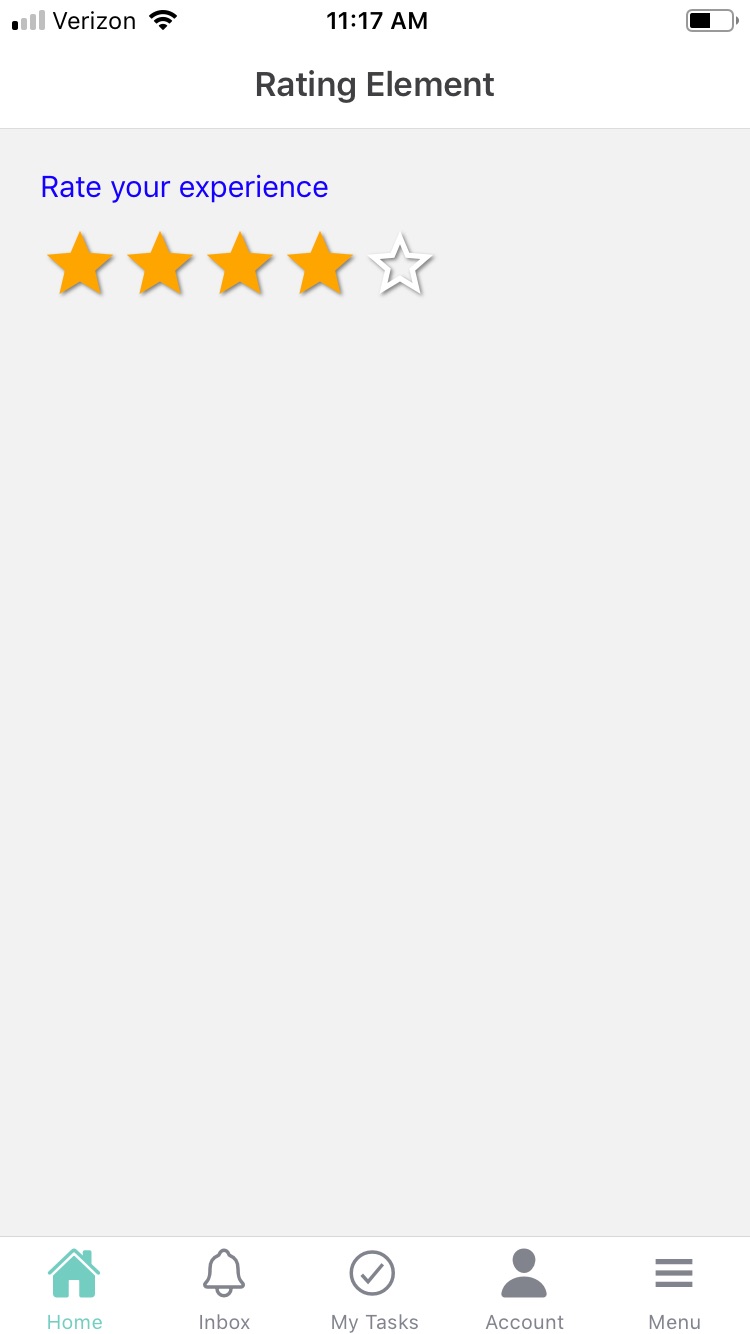
The Rating element is used to rate a product, service, or experience using a set of stars. Rating elements can be used in both Forms and Cards to allow users to rate certain questions on a scale. The rating typically ranges from 1 to 5 stars, with 5 being the highest rating. The values are represented by stars that function as buttons; if the user clicks on the second star, the first two stars will be filled to indicate the selection. The rating element is designed to be simple and intuitive, with clear instructions and feedback.
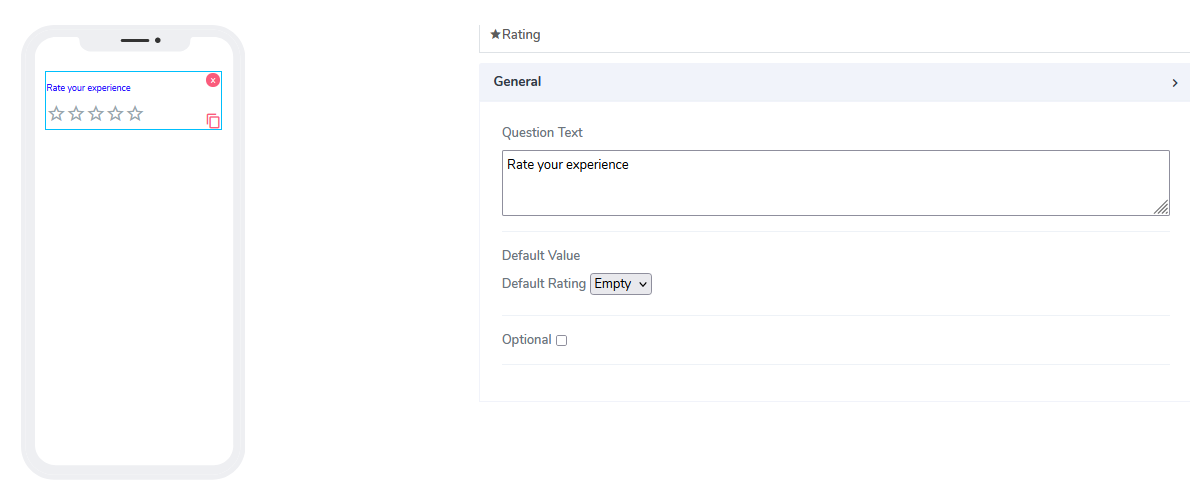
This element has the following attributes:
Question Text: a freestyle, multiline text field that is read-only. It informs the user what information is required for the input.
Default Value: By default, this element is optional. Information can be added at design time or at run time via the calculated field function (see below).
The default value is set to 'empty' to provide a hint to the user. Users can choose from 'empty', '1', '2', '3', '4', or '5' as values.Optional: Indicates whether this element is mandatory to be filled at run time. By default, this option is not selected, and therefore the element is mandatory.
When using Rating elements in Acenji, keep these tips in mind:
- When using the rating element, you can select a rating by clicking or tapping on the desired number of stars. Look for visual cues, such as a highlighted star or a message, to confirm the selected rating.
Questions?
If you have any questions, please don't hesitate to contact us.
Alternatively, you can submit an issue on this platform.
Useful Links:
Using the Slider Element - https://help.acenji.com/#/./elements/slider/index
What is the Card List Element? - https://help.acenji.com/#/./elements/card-list/index
Learn about the Filter Grid Element - https://help.acenji.com/#/./elements/filter-grid/index