
Phone Number Element
The phone number element is used to allow users to enter a phone number. Phone number elements can be used for both Forms and Cards, and are designated for phone numbers and codes. The input field is designed to accommodate a variety of phone number formats, and specific formatting requirements are clearly communicated. You can also add options to customize the appearance of the element, such as changing the size or color of the input field.
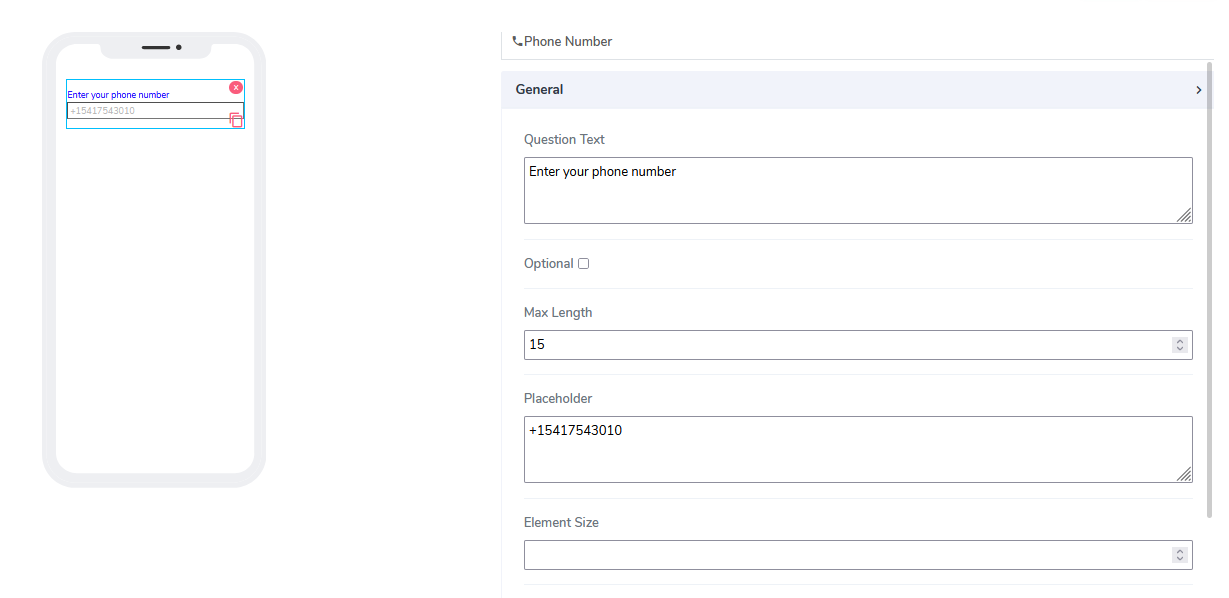
It comes with the following attributes:
Question Text: Freestyle, multiline text. The text field is read-only and indicates to the end-user what information they need to input.
Optional: Indicates if this element is mandatory to be filled in at run time. By default, this is not selected and therefore the element is mandatory.
Max Length: Indicates the maximum number of characters allowed to be entered.
Placeholder: This is used as a hint to specify an expected value in the input box. If left blank, nothing will be displayed. By default, a value of +15417543010 is assigned.
Element Size: This field is empty by default. Users can add a numerical value here to indicate the size of the input box in pixels. The lower the value, the more lines are allocated to the text in order to define that size as a box on the canvas.
Inline: A handy feature where, if selected, the element gets glued to the previous element on the canvas. If there is no space to be added to the previous element, it positions itself with its own dimensions at the beginning of the canvas on the row where it is located. The next element can then be glued to it."
Questions?
If you have any questions, please don't hesitate to contact us.
Alternatively, you can submit an issue on this platform.
Useful Links:
What is the Info Element? - https://help.acenji.com/#/./elements/info/index
Using the Single Selection Group Element - https://help.acenji.com/#/./elements/single-selection-group/index
Learn about the Multiple Selection Group Element - https://help.acenji.com/#/./elements/multiple-selection-group/index