
Button Element
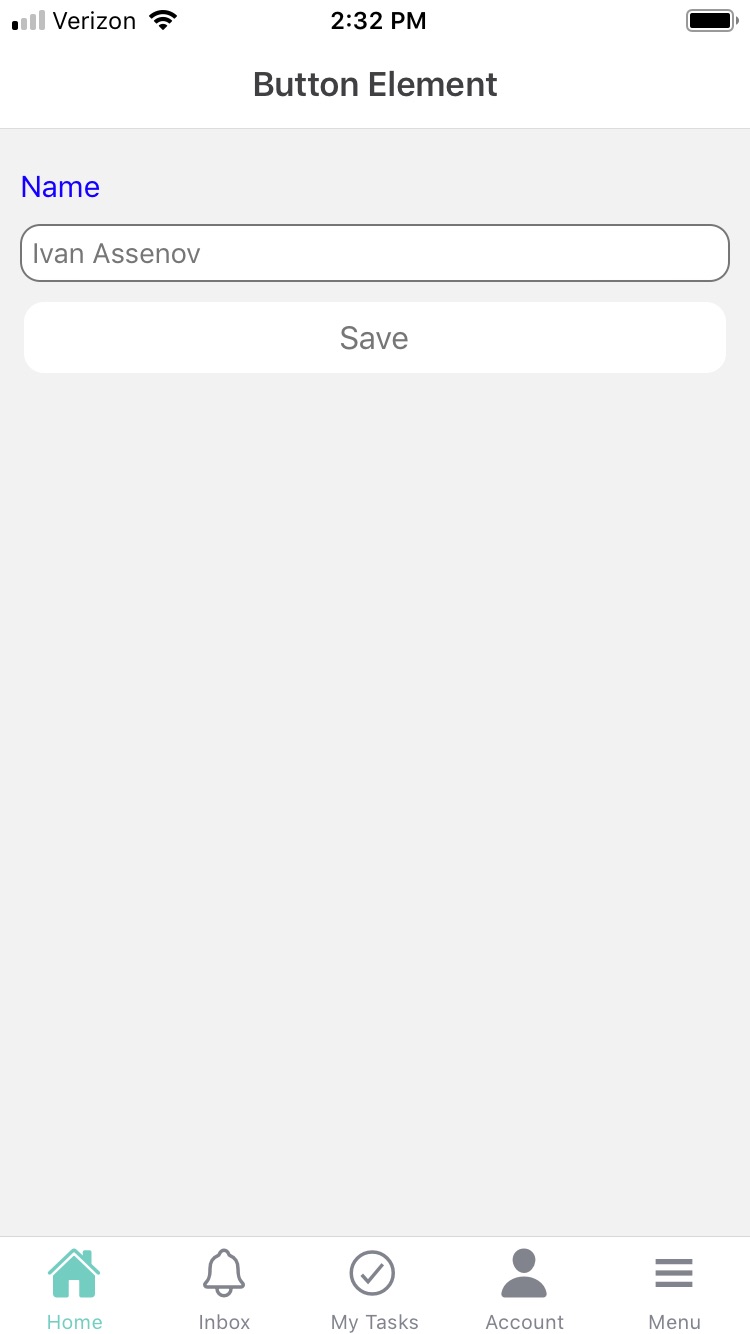
A button element is a common element that is used to trigger an action, such as saving or submitting data. Button elements can be used in both Forms and Cards. Users are familiar with buttons and how they trigger an action when clicked. It's important to make sure that the button is easily identifiable and easy to use, with clear labels or text. You may also want to consider adding options to customize the appearance of the button, such as changing the background color or adding icons.
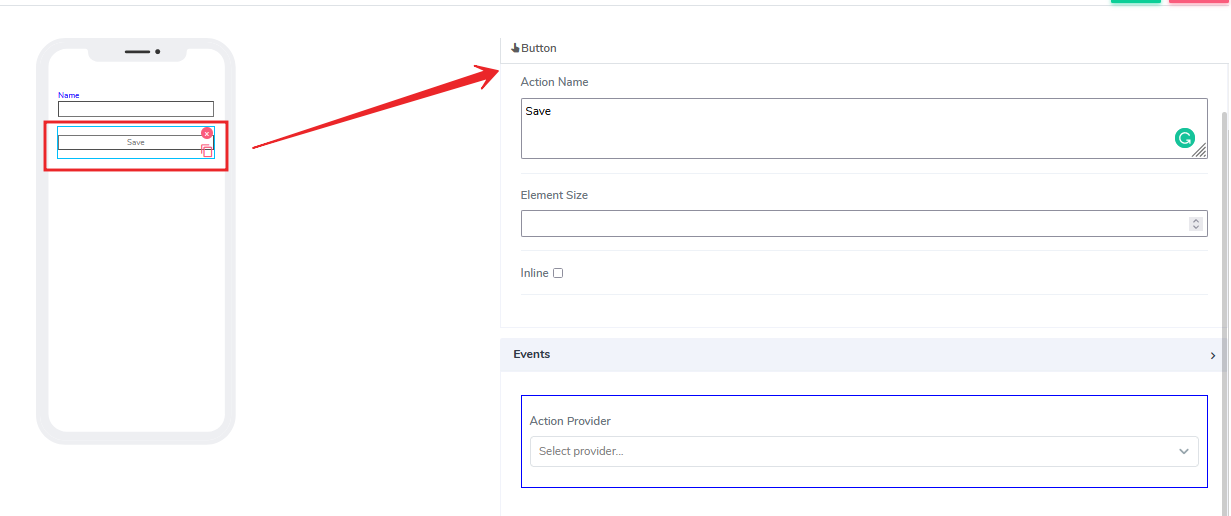
It comes with the following attributes:
- Action Name: This is a freestyle, multiline text field. It is read-only and indicates to the end-user what action will follow if they press the button.
- Element Size: This field is empty by default. Users can add a numerical value here to indicate the size of the button in pixels. The lower the size, the smaller the button will appear as a box on the canvas.
- Inline: This is a handy feature that, when selected, will glue the element to the previous element on the canvas. If there is no space to be added to the previous element, it positions itself with its own dimensions at the beginning of the canvas on the row where it is located. The next element can be glued to it.
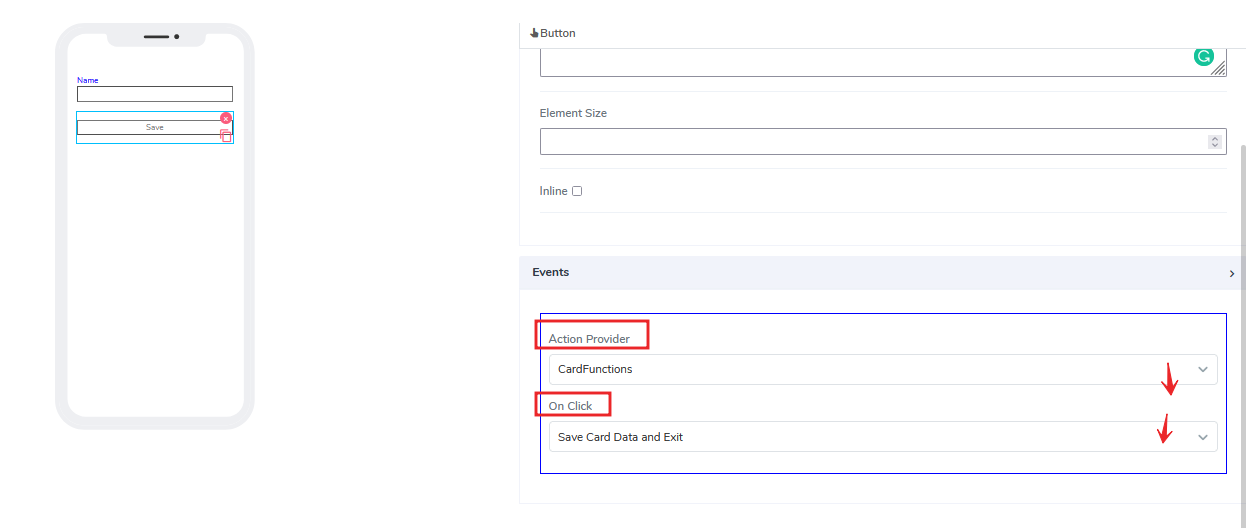
- Events: There are two selections that users can make here. One is under the "Action Provider" to select, for example, card functions. Depending on what card functions are available, the user can pick in advance which one to be associated with the button. Then, after that, the user can select the actual click action. By default, we always provide save and exit actions.
Questions?
If you have any questions, please don't hesitate to contact us.
Alternatively, you can submit an issue on this platform.
Useful Links:
What is the Info Element? - https://help.acenji.com/#/./elements/info/index
Using the Image Element - https://help.acenji.com/#/./elements/img/index
Learn about the Numeric Input Element - https://help.acenji.com/#/./elements/numeric-input/index