Create Native Mobile App
Managing users in ACENji is simple and powerful. Whether you’re onboarding a few individuals or importing an entire team, the platform gives you full control over access and roles.
👤 User Types in ACENji
ACENji supports eight user types, each with specific responsibilities and access levels:
Staff User – Basic internal user with limited access
Admin User – Full administrative control over the workspace
Manager User – Oversees teams, workflows, or departments
Creator User – Organization owner
Platform Assign User – Assigned at the platform-wide level
Project (App) Assign User – Assigned to specific apps or projects only
Self-Registered User – Users who register on their own via a public or shared link
Guest User – Temporary or view-only access for external collaborators
🧩 You can mix and match user types based on your organization’s needs.
➕ How to Add Users?
Navigate to: Dashboards → Account → Admin → Add Users You’ll find two options to manage user onboarding:
1. Add Single User
Use the manual form(+ button) to invite individual users. 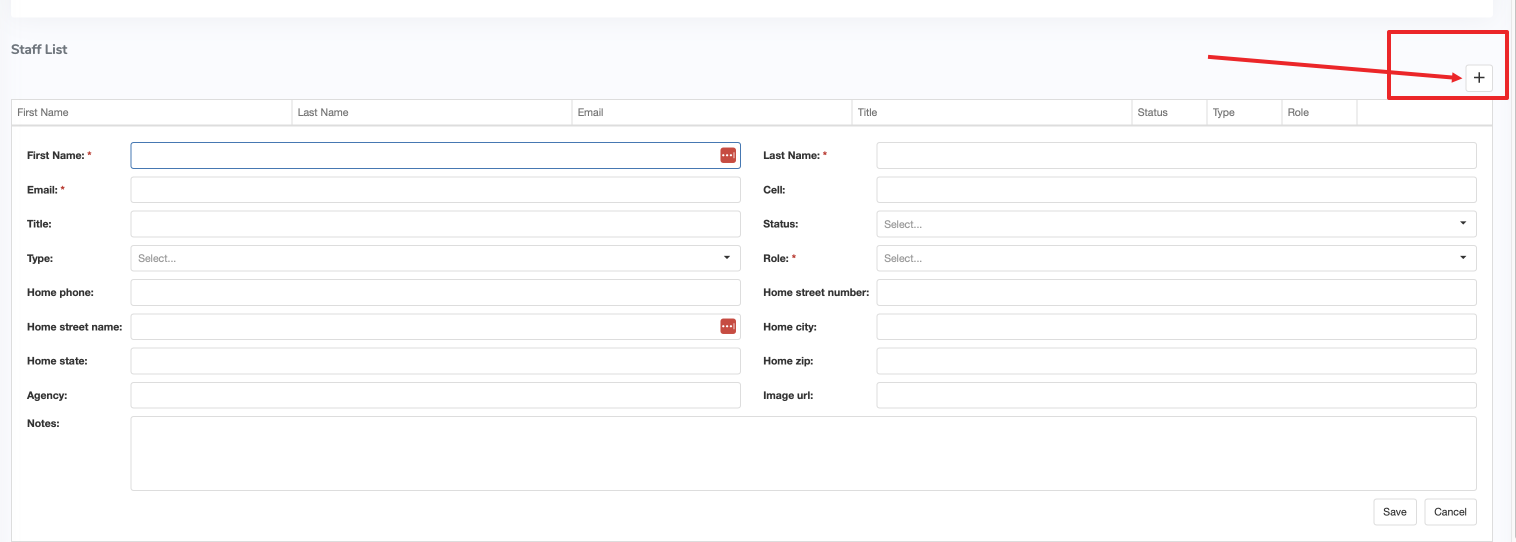 Fill in:
1.1 First Name / Last Name
1.2 Email
1.3 Select User Type
1.3 Assign to Group or App (optional)
1.4 Status (Active / Inactive)
1.5 Click Submit to send the invite.
2. Add Bulk Users
For onboarding multiple users at once, use the bulk import feature.
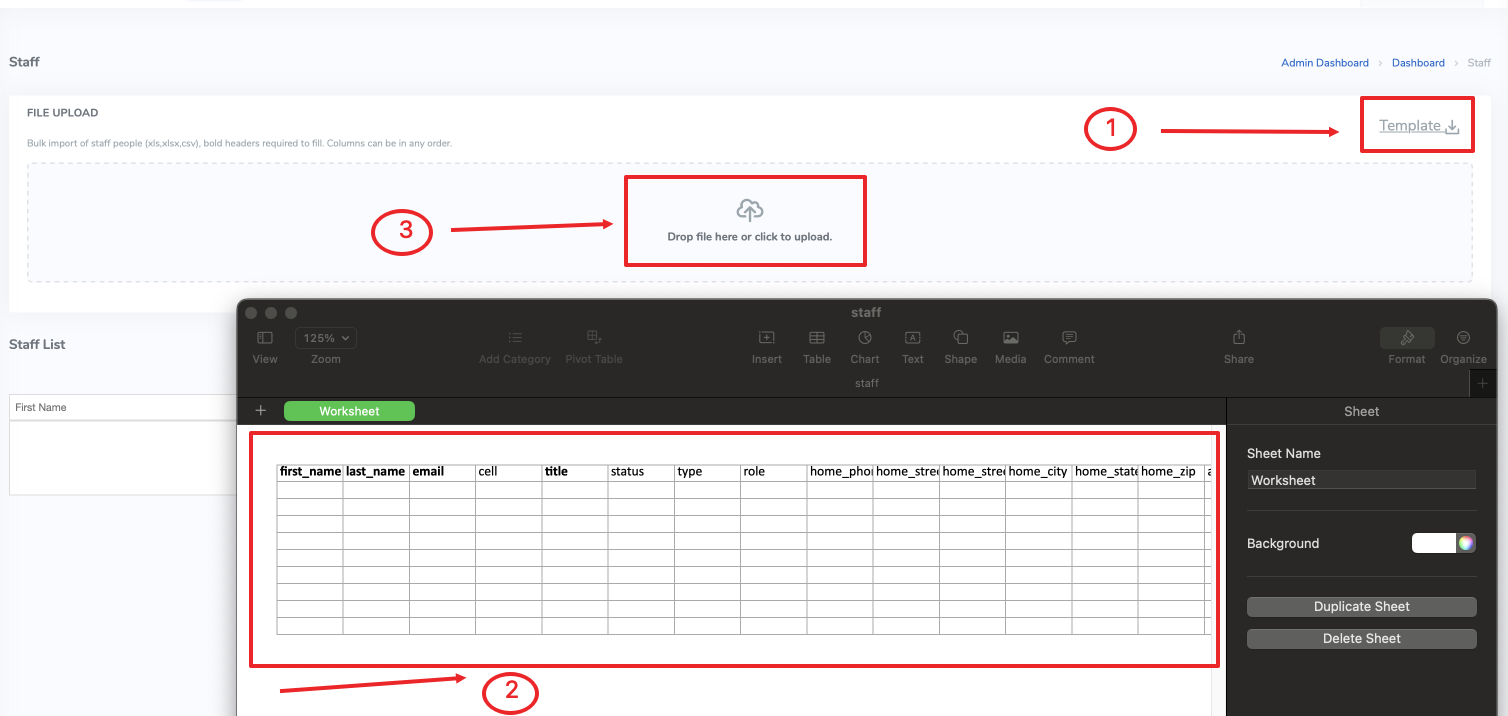 Steps:
2.1 Download the Excel template as XLSX file
2.2 Fill in user data
2.3 Upload the Excel back into the system
2.4 Confirm and Submit
📥 Bulk import supports assigning user types and groups directly via the Excel.
📘 Want to define roles at the organizational level? Learn more about Managing Roles and Groups to streamline access across your platform.
Even if you haven’t created any apps yet, you can still define global user permissions based on their role.
Need Help?
Start your journey at ACENji's NoCode Platform — accessible on both web and mobile browsers. Our intuitive interface helps you ease into building apps without needing any prior technical experience. If you have any questions or need help at any point, our team is here for you.
Feel free to reach out to us — we’re happy to assist.

If you have any questions, please don't hesitate to contact us.
Questions?
If you have any questions, please don't hesitate to contact us.
Alternatively, you can submit an issue on this platform.
Useful Links:
ACENji Sign Up - https://help.acenji.com/#/../../getting-started/signup/index
ACENji Elements - https://help.acenji.com/#/./elements/index
Quick Start Conditional Logic - https://help.acenji.com/#/./conditional-logic/quick-start/index